Graph Engineering in Practice: An Agent That Tailors Resumes and Applies to Jobs
I once closed a job application I genuinely wanted because the form had nineteen fields.
The role was a good fit. I was simply tired of searching, comparing job descriptions, updating my resume, and typing the same information into yet another website.
I built AppliedIn to make that process easier. It finds relevant roles, checks how well they fit, tailors a resume, waits for approval, and helps complete the application in the browser.
At first, this looked like one large task for one powerful agent. It was not.
The useful question was:
Which parts need judgment, which parts should be handled by code, and which decisions should always stay with the person applying?
That question shaped the graph.
Give each part to the right actor
I split the workflow into three clear areas.
Code handles the predictable work. It filters jobs, removes duplicates, validates resumes, and keeps track of progress.
Agents handle work that needs judgment. They compare a role with a resume, improve the wording, and navigate websites that do not all behave the same way.
You keep control of important decisions. AppliedIn asks before submitting, never invents missing information, and stops when the outcome is unclear.
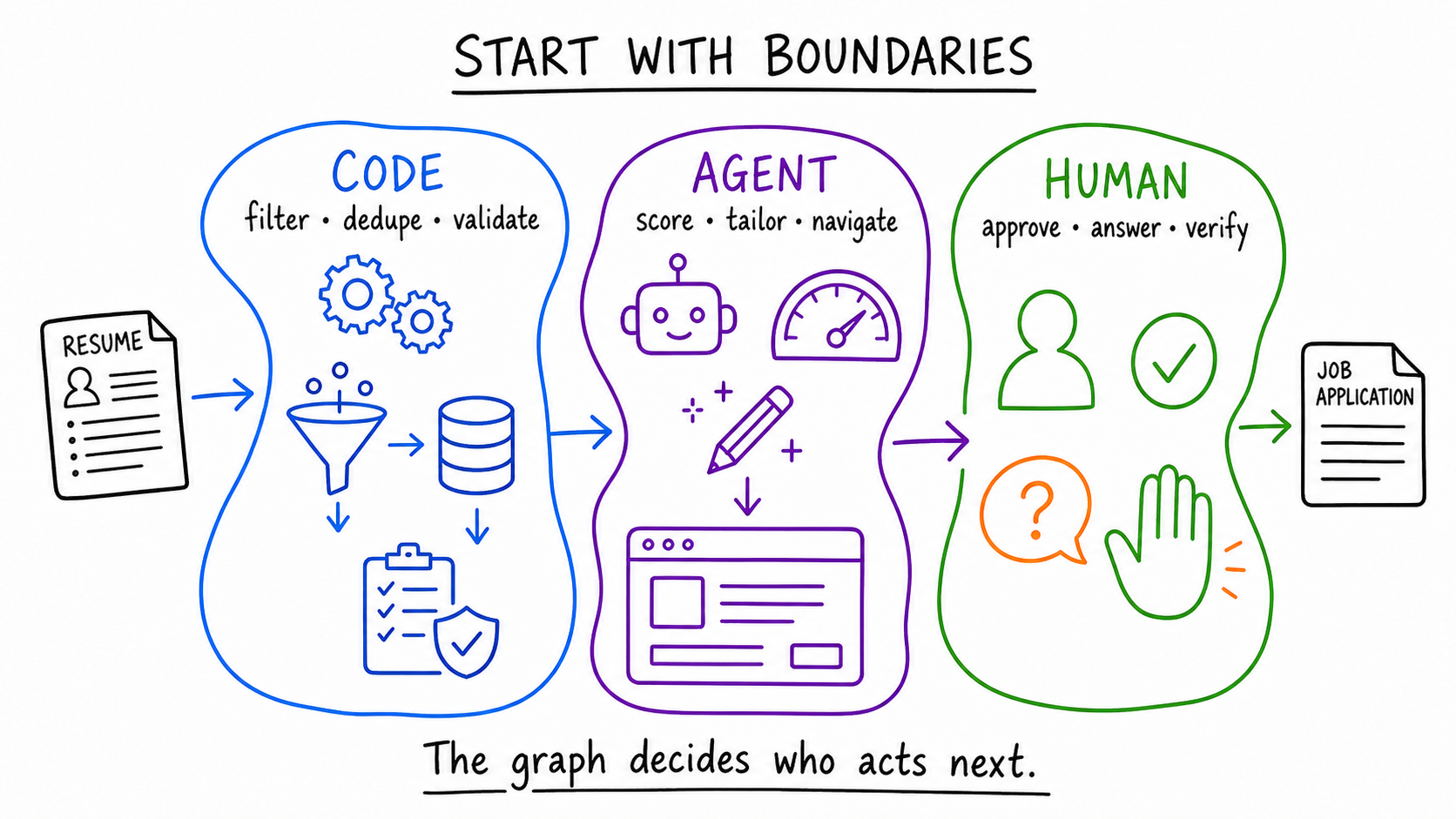
One job moves through a simple graph
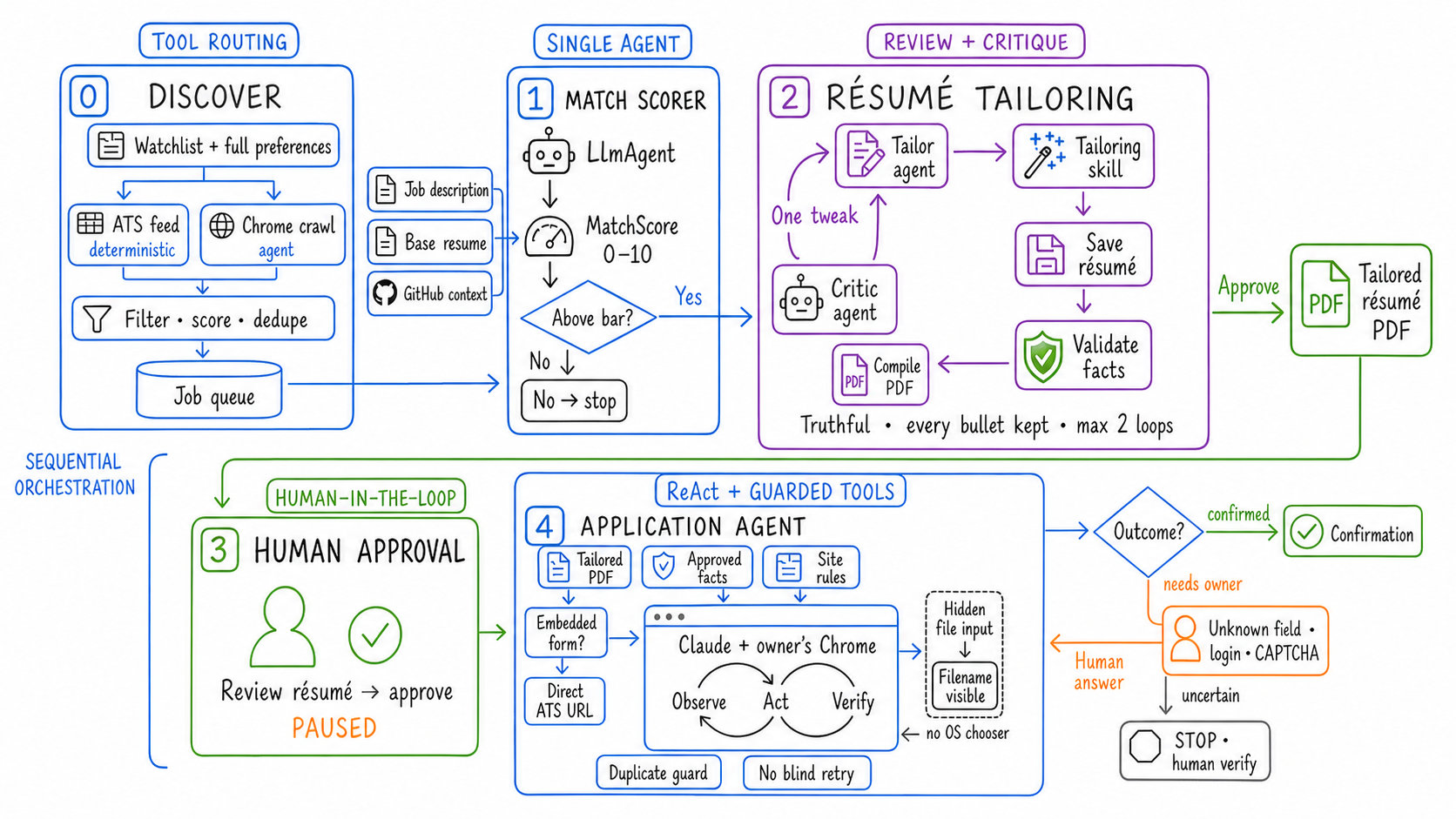
A job moves through six main steps:
discover → score → tailor → approve → apply → verify
Each step has a clear job and a clear stopping point. If the system needs an answer, it pauses. If something fails, the job stays visible. If submission cannot be confirmed, it is marked as uncertain instead of pretending it worked.
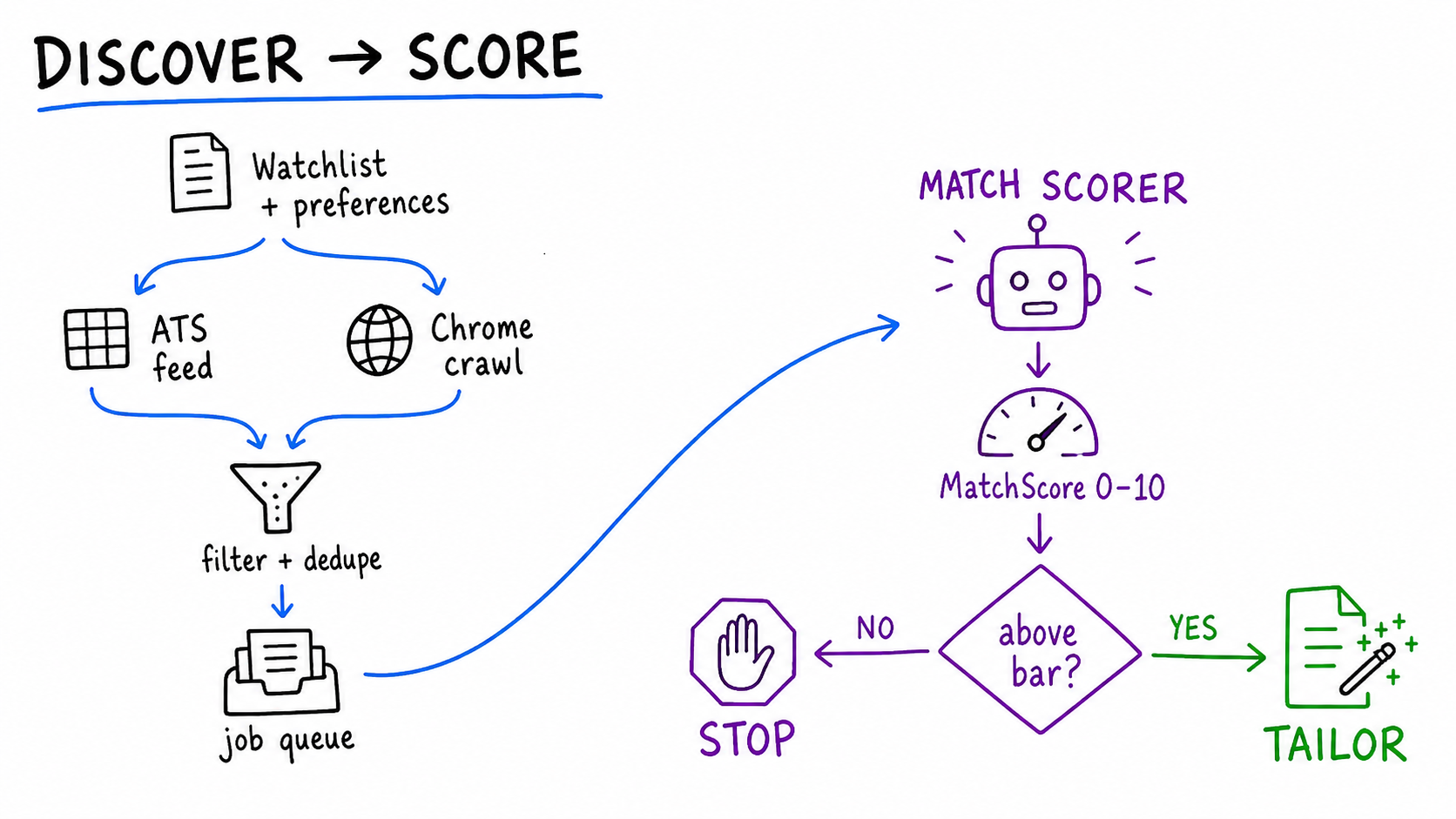
Find the job before using an agent
AppliedIn first looks for the simplest way to read the available jobs.
If a careers site provides structured job data, regular code reads it. If it does not, a browser agent opens the site and gathers the roles. The results are cleaned up, duplicates are removed, and the jobs appear in one queue.
The scoring agent then compares each role with your resume and preferences. It gives the role a score from 0 to 10 and explains why.
Low scoring roles stop there. Strong matches move forward. This saves time and keeps the system focused on jobs that are actually worth applying to.
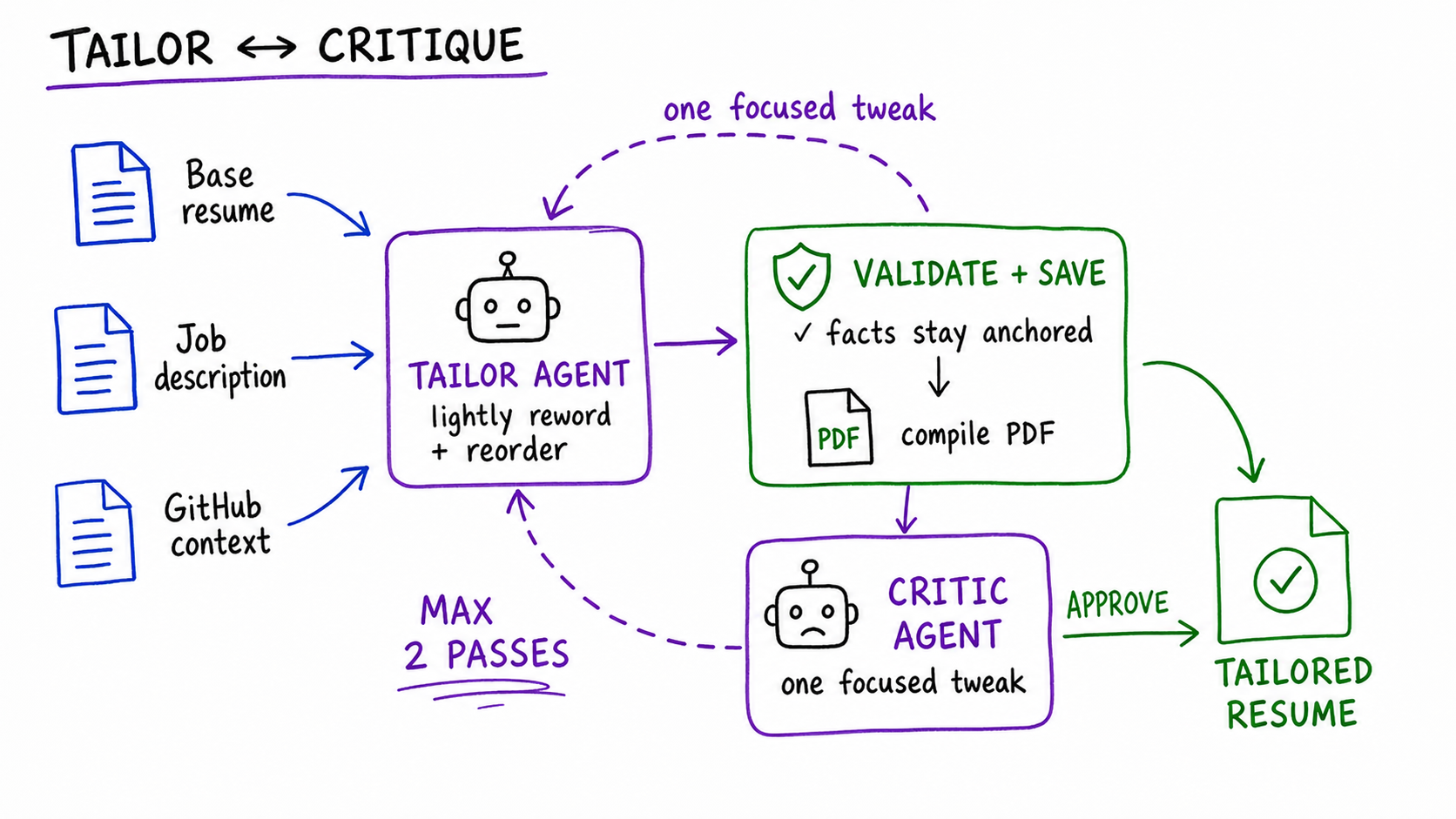
Tailor the resume without making things up
For a strong match, AppliedIn creates a version of your resume that is better aligned with the job description.
It can reorder experience and improve how existing work is described. It cannot add a skill, title, employer, or achievement that was not already in the original resume.
After the first draft, a critic checks whether the resume is relevant and clear. Regular code then checks the facts and confirms that the final file builds into a real PDF.
The agent improves the writing. The checks protect the truth.
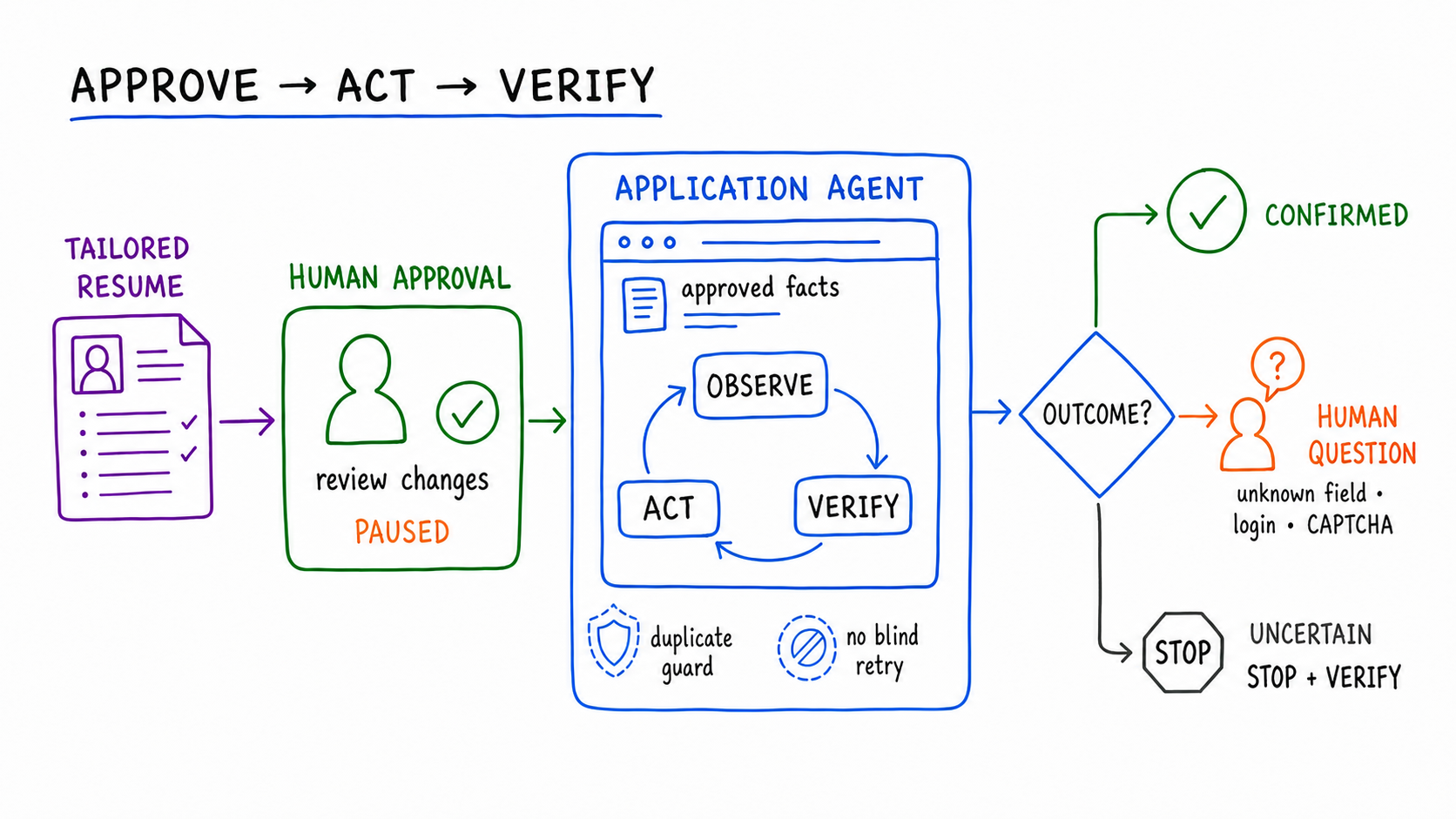
Nothing is submitted without approval
Preparing an application is useful automation. Submitting it is a decision made in your name.
That is why AppliedIn pauses before opening the application form. You can review the tailored resume and decide whether to continue.
After approval, the browser agent fills the form using the validated resume and the information you have provided.
If it finds a question it cannot answer, it asks you. If it sees a CAPTCHA, it pauses. If you have already applied, it stops. If the website does not show a clear confirmation, it marks the result as uncertain.
Clicking Submit is not enough. AppliedIn marks the job as applied only after the website confirms it.
Why the graph matters
The goal was never to add as many agents as possible. The goal was to make every step understandable.
You can see why a job was selected, what changed in the resume, when the system needs your help, and whether the application was actually confirmed.
The board keeps all of those steps visible in one place:
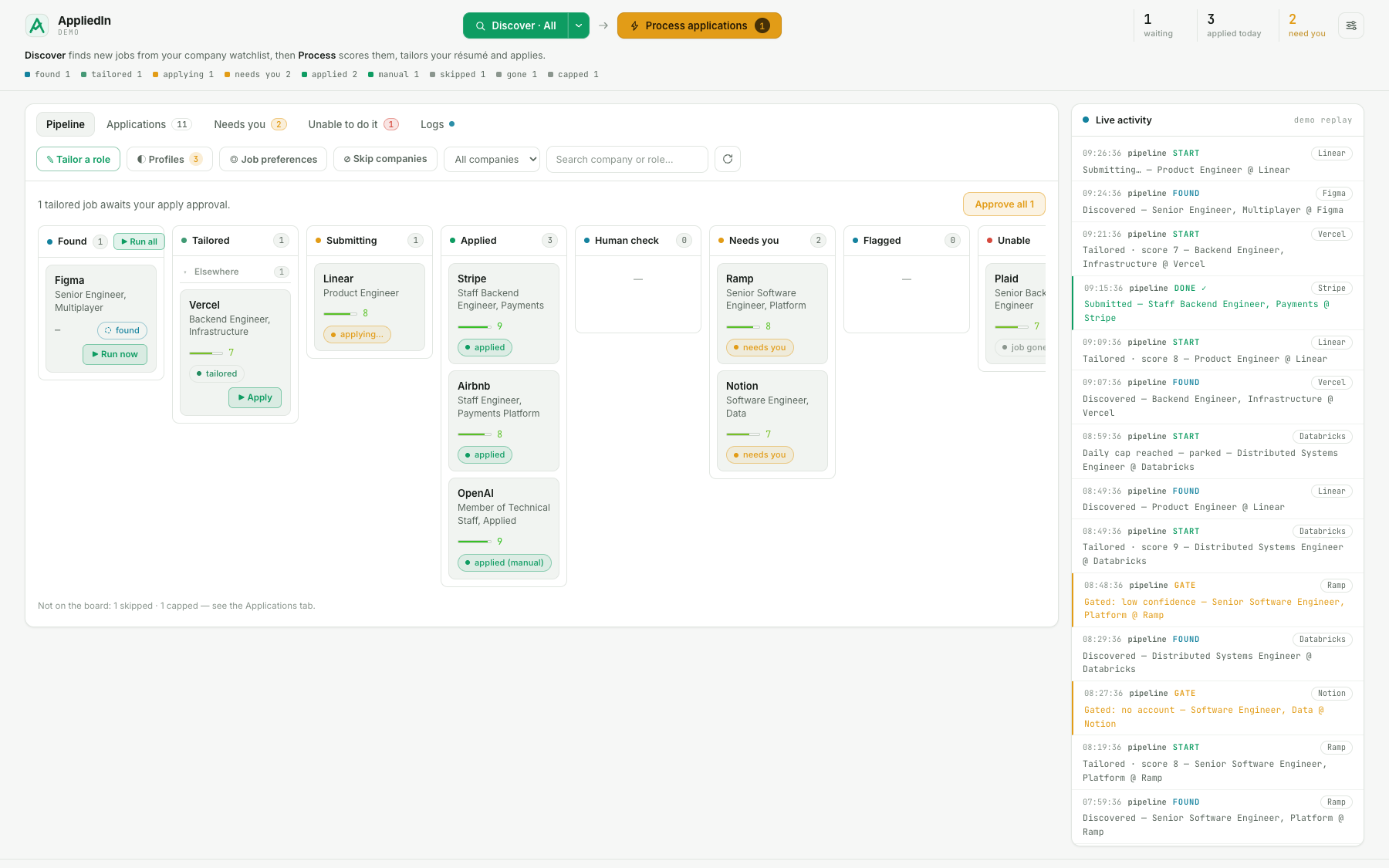
For me, this is what graph engineering means in practice. Use agents where judgment helps. Use code where the rules are clear. Keep the human involved when the action matters.
AppliedIn is open source, MIT licensed, and runs locally. Add your resume, describe the roles you want, and let the workflow build a focused application queue.
You need an OpenAI API key to run the core workflow. Automatic browser submission also needs the Claude Code Chrome integration and an active direct Claude subscription.
Applications still go out under your name, so review the resume and answers before submitting.